Botpress Customer Support Chatbot

Voiceflow WhatsApp Human Handoff (HITL)

Connect Voiceflow to WhatsApp using WhatsApp Business API or simply scan a QR Code

Let your Voiceflow WhatsApp chatbot route conversations directly to real human agents on request

Botpress WhatsApp chatbot integration

Handle Voiceflow WhatsApp conversations from one shared team inbox

Assign Voiceflow WhatsApp chats between agents without losing conversation history or context

Send WhatsApp Bulk messaging campaigns to your customers

Use your existing Meta Business account credentials, or connect instantly with a QR scan

Also available for webchat

Voiceflow human handoff works across both WhatsApp and Webchat (ie. website chat widget)

Choose how to enable Voiceflow WhatsApp HITL

OPTION 1

WhatsApp Business API

Designed for production environments and higher message volumes.

Uses Meta’s official WhatsApp Business API platform

Requires registering a dedicated WhatsApp number with Meta

Can be set up manually, or through Meta’s embedded onboarding flow

Built to handle large-scale messaging and campaign traffic

Conversations are managed inside the hitlchat team inbox

OPTION 2

QR Code connection

Ideal for quick testing, demos, and lightweight deployments.

No WhatsApp Business API approval process needed

Link your number by scanning a QR code, similar to WhatsApp Web

Works directly with the WhatsApp mobile application

Best suited for lower daily message volumes

Reply to conversations directly from your WhatsApp app

Begin with QR code mode for fast setup and testing, then later switch to the WhatsApp Business API when ever you are ready to

Reply to Voiceflow WhatsApp conversations from anywhere using the hitlchat mobile app or the official WhatsApp mobile app

Mobile screen displaying HitlChat chat app with tabs for My Chats, Bot Chats, Unassigned, and filters for all chats, resolved, and spam. Chat list shows messages from Gilbert Franks marked 'Human Requested,' John Customer marked 'In Progress,' and Carlene Benson marked 'Resolved by Bot.'
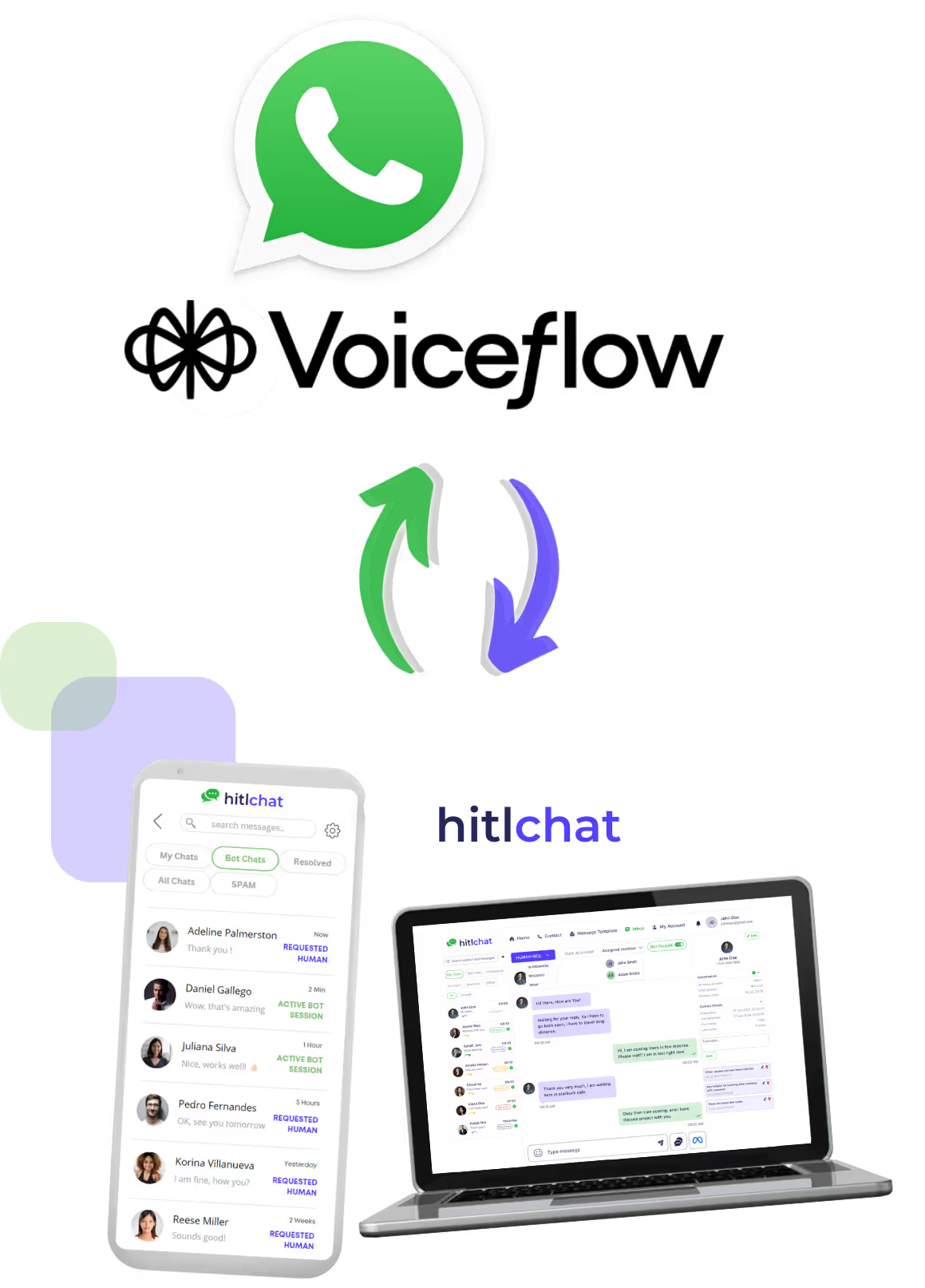
Screenshot of HitlChat messaging interface on a smartphone and laptop with WhatsApp logo and arrows indicating integration.

Enable live agent handoff for your Voiceflow WhatsApp assistant in 2 minutes

Link your Voiceflow project to hitlchat and start routing WhatsApp conversations immediately with our easy 'no code' setup. Simply copy & paste your Voiceflow project API key and you'll be up and running!

Connect Voiceflow to HitlChat

Voiceflow Handoff for WhatsApp

When a customer requests to chat to human support agent, hitlchat will seamlessly hand the WhatsApp conversation directly to a live agent allowing them to continue chatting within the same WhatsApp thread

AI Chatbot Human Handoff

Unified WhatsApp Inbox

View and manage all WhatsApp chats within one shared inbox. Each team member gets their own login. Assign conversations, transfer chat between teammates, and reply using rich media and canned responses

Go Live in Minutes

Link hitlchat to your WhatsApp number, add your Voiceflow project API key to your hitlchat account, and you're ready to start handing off conversations from your Voiceflow assistant to your support team

Reply from Any Device

Support customers from the hitlchat web app or mobile app (iOS & Android). If using the QR-based WhatsApp connection to hitlchat, agents can reply directly from the WhatsApp mobile app too.

Botpress Human Handoff

WhatsApp Conversation Insights

Perform analysis on your Voiceflow WhatsApp chats from a single dashboard. Review past interactions in order to train and improve your bot's logic

Connect via Business API or QR code

Run large scale production bots using the WhatsApp Business API, or launch instantly with QR code linking for lighter weight deployments — no Meta approval needed

Stories from real businesses

Voiceflow WhatsApp Business APIVoiceflow WhatsApp Business APIVoiceflow WhatsApp Business APIVoiceflow WhatsApp Business APIVoiceflow WhatsApp Business API

Daniel Ortega

eCommerce Ops Manager

"WhatsApp is where most of our online customer conversations happen. Our Voiceflow assistant handles the basic questions really well, but when questions get more complicated hitlchat allows our team to jump in instantly without having to move the customer to another channel. It feels like true live chat inside WhatsApp and we’ve seen higher conversions because of it"

Voiceflow WhatsApp Business APIVoiceflow WhatsApp Business APIVoiceflow WhatsApp Business APIVoiceflow WhatsApp Business APIVoiceflow WhatsApp Business API

Sanjay Mehta

Conversational AI Agency

"The hitlchat setup is super simple, and its easy to use! Most of our clients run small teams handling WhatsApp conversations powered by a Voiceflow bot. hitlchat gives them one shared workspace to manage all their conversations. Being able to step into bot conversations directly inside WhatsApp has transformed their support workflows."

Voiceflow WhatsApp Business APIVoiceflow WhatsApp Business APIVoiceflow WhatsApp Business APIVoiceflow WhatsApp Business APIVoiceflow WhatsApp Business API

Lucas Bennett

Voiceflow Developer

"We've been building Voiceflow WhatsApp assistants for our clients across various industries (healthcare, ecommerce, restaurants etc) for a few years now. We had been looking for a way to route conversations from the Voiceflow assistant to live human agent for some time. Eventually we found out about hitlchat and honestly its been a gamechanger for us ever since. Our clients love it, and as a result we love it!"

Priced plans for teams of all sizes

Save 25% with our annual plan

Annual

Monthly

Solo Agent (1 user)

$29

/ Per Month

Human handoff for Botpress and Voiceflow chatbots across WhatsApp and Webchat for one user

Live agent handoff for Botpress & Voiceflow (WhatsApp & Webchat)

Shared inbox for two-way customer conversations

Automation rules & contact management

Mobile & desktop inbox access

Send Bulk WhatsApp campaigns

Developer API access for custom integrations

1 user included

Usage:

8,000 contacts

20k broadcasts per month

15 automations

20 tags & 20 lists

5 custom fields

Try Hitlchat For Free

Small Business (5 users)

$47

/ Per Month

Everything in Solo Agent, as well as multi-agent collaboration for 5 users

Multi-agent human handoff for Botpress & Voiceflow (WhatsApp & Webchat)

Shared inbox for two-way customer conversations

Automation rules & contact management

Mobile & desktop inbox access

Send Bulk WhatsApp campaigns

Developer API access for custom integrations

5 users included

Usage:

15k contacts

40k broadcasts per month

30 automations

40 tags & 40 lists

10 custom fields

10k API calls per month

Try Hitlchat For Free

Growth

$89

/ Per Month

Everything in Small Business, with larger contact database and support for 10 users

Multi-agent human handoff for Botpress & Voiceflow (WhatsApp & Webchat)

Shared inbox for two-way customer conversations

Advanced automation rules & contact management

Mobile & desktop inbox access

Send Bulk WhatsApp campaigns (faster send speeds)

Developer API access for custom integrations

10 users included

Usage:

35k contacts

80k broadcasts per month

Unlimited automations

Unlimited tags & lists

Unlimited custom fields

50k API calls per month

Try Hitlchat For Free

Enterprise (30 users)

$210

/ Per Month

Everything in Growth, with enterprise-scale contact limits, ultra-fast broadcast sending and support for 30 users

Enterprise-grade human handoff for Botpress & Voiceflow (WhatsApp & Webchat)

Shared inbox for two-way customer conversations

Advanced automation rules & contact management

Mobile & desktop inbox access

Send Bulk WhatsApp campaigns (ultra fast send speeds)

Developer API access for custom integrations

30 users included

Usage:

300k contacts

500k broadcasts per month

Unlimited automations

Unlimited tags & lists

Unlimited custom fields

300k API calls per month

Try Hitlchat For Free

Solo Agent (1 user)

$37

/ Per Month

Human handoff for Botpress and Voiceflow chatbots across WhatsApp and Webchat for one user

Live agent handoff for Botpress & Voiceflow (WhatsApp & Webchat)

Shared inbox for two-way customer conversations

Automation rules & contact management

Mobile & desktop inbox access

Send Bulk WhatsApp campaigns

Developer API access for custom integrations

1 user included

Usage:

8,000 contacts

20k broadcasts per month

15 automations

20 tags & 20 lists

5 custom fields

Try Hitlchat For Free

Small Business (5 users)

$62

/ Per Month

Everything in Solo Agent, as well as multi-agent collaboration for 5 users

Multi-agent human handoff for Botpress & Voiceflow (WhatsApp & Webchat)

Shared inbox for two-way customer conversations

Automation rules & contact management

Mobile & desktop inbox access

Send Bulk WhatsApp campaigns

Developer API access for custom integrations

5 users included

Usage:

15,000 contacts

40k broadcasts per month

30 automations

40 tags & 40 lists

10 custom fields

10k API calls per month

Try Hitlchat For Free

Growth

$115

/ Per Month

Everything in Small Business, with larger contact database and support for 10 users

Multi-agent human handoff for Botpress & Voiceflow (WhatsApp & Webchat)

Shared inbox for two-way customer conversations

Advanced automation rules & contact management

Mobile & desktop inbox access

Send Bulk WhatsApp campaigns (faster send speeds)

Developer API access for custom integrations

10 users included

Usage:

35k contacts

80k broadcasts per month

Unlimited automations

Unlimited tags & lists

Unlimited custom fields

50k API calls per month

Try Hitlchat For Free

Enterprise (30 users)

$265

/ Per Month

Everything in Growth, with enterprise-scale contact limits, ultra-fast broadcast sending and support for 30 users

Enterprise-grade human handoff for Botpress & Voiceflow (WhatsApp & Webchat)

Shared inbox for two-way customer conversations

Advanced automation rules & contact management

Mobile & desktop inbox access

Send Bulk WhatsApp campaigns (ultra fast send speeds)

Developer API access for custom integrations

30 users included

Usage:

300k contacts

500k broadcasts per month

Unlimited automations

Unlimited tags & lists

Unlimited custom fields

300k API calls per month

Try Hitlchat For Free

What Is Human Handoff? And How Does It Work With Your Voiceflow WhatsApp Agent?

Human handoff — often referred to as human-in-the-loop (HITL) — means passing a live conversation from an AI agent to a real team member, with no channel-switching and no asking the customer to start over.

For a Voiceflow WhatsApp agent, it works like this: the customer talks to your Voiceflow assistant as normal, and whenever the conversation calls for human judgment, a team member takes over and replies inside the very same WhatsApp thread.

This page covers the WhatsApp side of hitlchat’s Voiceflow human handoff platform — the same escalation layer is available for webchat as well.

Why it’s necessary

Voiceflow lets you automate most of your customer conversations — yet even the best-designed agent can’t handle every sale or support query end-to-end. Some moments still need a person:

  • Negotiating pricing or custom deals
  • Questions tied to a specific account
  • Upset or frustrated customers
  • Requests your agent wasn’t designed for

Without a handoff layer in place, those conversations stall — the customer drops off, switches channels, or gets stuck in a loop of repeated replies.

How Hitlchat works

hitlchat sits in the middle of your Voiceflow agent and WhatsApp, watching every conversation for a handoff trigger — a customer sending a HITL keyword such as “speak to a human,” or a team member stepping in from the inbox. When that happens:

  1. Your Voiceflow agent is paused for that one conversation — all other chats stay fully automated.
  2. The chat lands in your shared team inbox for a human to reply (on QR connections, you can even answer straight from the WhatsApp app).
  3. When the issue is handled, the agent resumes — hand back manually, use a hand-back keyword, or let the inactivity timer do it automatically.
Since everything takes place on the same WhatsApp number, in the same thread, customers never see the seams of a handoff — the conversation simply becomes more helpful.

Why Add Human Handoff to your Voiceflow WhatsApp Agent?

Adding a human layer to your Voiceflow workflows means the customer experience stays strong even where automation runs out of road.

Stop losing high-value conversations

AI agents shine at FAQs and routing but struggle with judgment calls, objections, and edge cases — a handoff path means those chats don’t hit a dead end.

Keep the whole journey in WhatsApp

No bouncing customers to email or a separate live-chat widget — staying in one channel keeps replies fast and conversions up.

Give your team the full picture

Before anyone replies, they can read the entire Voiceflow conversation history — customers never have to explain twice.

Turn WhatsApp into a true sales & support line

With humans able to step in, WhatsApp graduates from “just the bot” to a genuine live sales and support channel.

Spot where your agent needs work

The conversations that trigger handoffs most often show you exactly which Voiceflow workflows are worth improving.

Voiceflow WhatsApp Business API vs QR Code: Which Should You Use?

There are two ways to connect Voiceflow to WhatsApp in hitlchat. Many teams begin on the QR code connection to test quickly, then switch to the WhatsApp Business API when it’s time for production.

Feature WhatsApp Business API QR Code
Best for Production workloads, high chat volume, broadcast campaigns Testing, demos, smaller teams, modest volume
Where agents reply hitlchat inbox on web or mobile app hitlchat inbox, or straight from the WhatsApp app on your phone
Message volume limits Built to scale to high volumes reliably Recommended for small-to-moderate volumes
WhatsApp number used A dedicated Business API number Your existing WhatsApp number (personal or business)
Bulk broadcast campaigns Full support Works, at reduced send volumes
Our advice: prove out your Voiceflow WhatsApp handoff on the QR connection first, then graduate to the WhatsApp Business API when message volume grows or you want production-scale broadcast campaigns. Switching is painless — your Voiceflow agent stays untouched; you only change the WhatsApp connection inside hitlchat.

How to Connect Voiceflow to WhatsApp with hitlchat

You can be up and running in minutes. A couple of steps differ depending on your connection method — WhatsApp Business API or QR code (compared above) — but the overall flow looks like this:

1

Sign up for hitlchat

Create your hitlchat account and start a free trial — no credit card needed.

2

Select your integration

From the hitlchat dashboard, go to Configuration and pick Voiceflow as your integration type.

3

Link Voiceflow

In Voiceflow, open your agent’s workflow, click the Settings icon, then API Keys — copy your Voiceflow API key and paste it into hitlchat. No changes to your agent needed.

4

Connect WhatsApp

Attach your WhatsApp number — sign in with Facebook, enter your existing WhatsApp Business API credentials, or scan a QR code with your phone.

5

Set your handoff triggers

Add HITL (human-in-the-loop) keywords — the phrases that should pull a human in, like “agent,” “human,” or “talk to a person.”

6

Run a test

Message your connected WhatsApp number to check the Voiceflow agent responds, then send a HITL keyword and watch the chat arrive in your hitlchat inbox.

7

Bring in your team

Every teammate gets their own login to the shared inbox — on desktop or the hitlchat mobile app (iOS & Android).

Prefer a full click-by-click walkthrough with screenshots? Follow the complete guide: How to Connect Voiceflow to WhatsApp & Enable Human Handoff.

Managing Voiceflow WhatsApp Conversations from a Shared Inbox

After connecting, every WhatsApp chat your Voiceflow agent handles — plus every handoff — flows into the hitlchat shared team inbox, where your team can:

  • Review the complete conversation history, agent messages included, before jumping in
  • Respond with text, media, documents, and WhatsApp message templates
  • Pass a chat to a teammate with the full context intact
  • Return the conversation to your Voiceflow agent once it’s wrapped up
  • Organize contacts with tags and labels for follow-up and reporting

Your sales and support team never needs to open Voiceflow or dig through transcripts to work with WhatsApp — everything happens in one unified inbox.

Frequently Asked Questions

Everything you need to know about human handoff for Voiceflow WhatsApp.

Does hitlchat use the official WhatsApp Business API?

Yes — for production connections hitlchat uses the official WhatsApp Business API. There’s also a QR code option that needs no Meta credentials at all: just scan and go.

Do I need to rebuild my existing Voiceflow agent?

No. hitlchat connects to the Voiceflow agent you already have — you simply paste your Voiceflow API key into hitlchat. Your workflows in Voiceflow stay exactly as they are.

How does my Voiceflow agent know when to hand off to a human?

Two ways: automatically, when a customer types one of your HITL keywords (like “human” or “speak to an agent”), or manually, when a teammate takes the conversation over from the inbox.

Can the Voiceflow agent take back over after a human has replied?

Yes. Once the conversation is wrapped up, control returns to your Voiceflow agent — hand it back from the inbox, send a hand-back keyword, or let your inactivity timer re-engage it automatically.

How many team members can work in the shared inbox?

From one user on the Solo Agent plan up to 30 users on Enterprise — the shared WhatsApp inbox works for teams of every size.

Can my team reply from mobile, or only from a desktop?

Both work. There’s a hitlchat mobile app for iOS and Android alongside the web inbox — and on QR connections, replies can even come straight from the WhatsApp app.

Does hitlchat support Voiceflow webchat as well as WhatsApp?

Yes. The same Voiceflow agent can offer human handoff on WhatsApp and on your website’s webchat widget, all managed from one shared inbox.

What about conversations my Voiceflow agent already handles well?

They’re untouched — the agent keeps answering those automatically. A handoff only happens when a HITL keyword fires or a teammate steps in, so your best-performing workflows keep running.

Can I send WhatsApp marketing campaigns from the same number?

Yes — hitlchat has a built-in WhatsApp bulk messaging tool, so broadcast campaigns go out from the same number your Voiceflow handoff runs on.

How quickly can I get set up?

A QR code connection takes about two minutes. The WhatsApp Business API route takes a bit longer — you’ll sign in with Facebook or enter your Meta API credentials — and it’s a one-time job.

Ready to try hitlchat ?

Create Your Free Account Now

No credit card required