%20(1).avif)


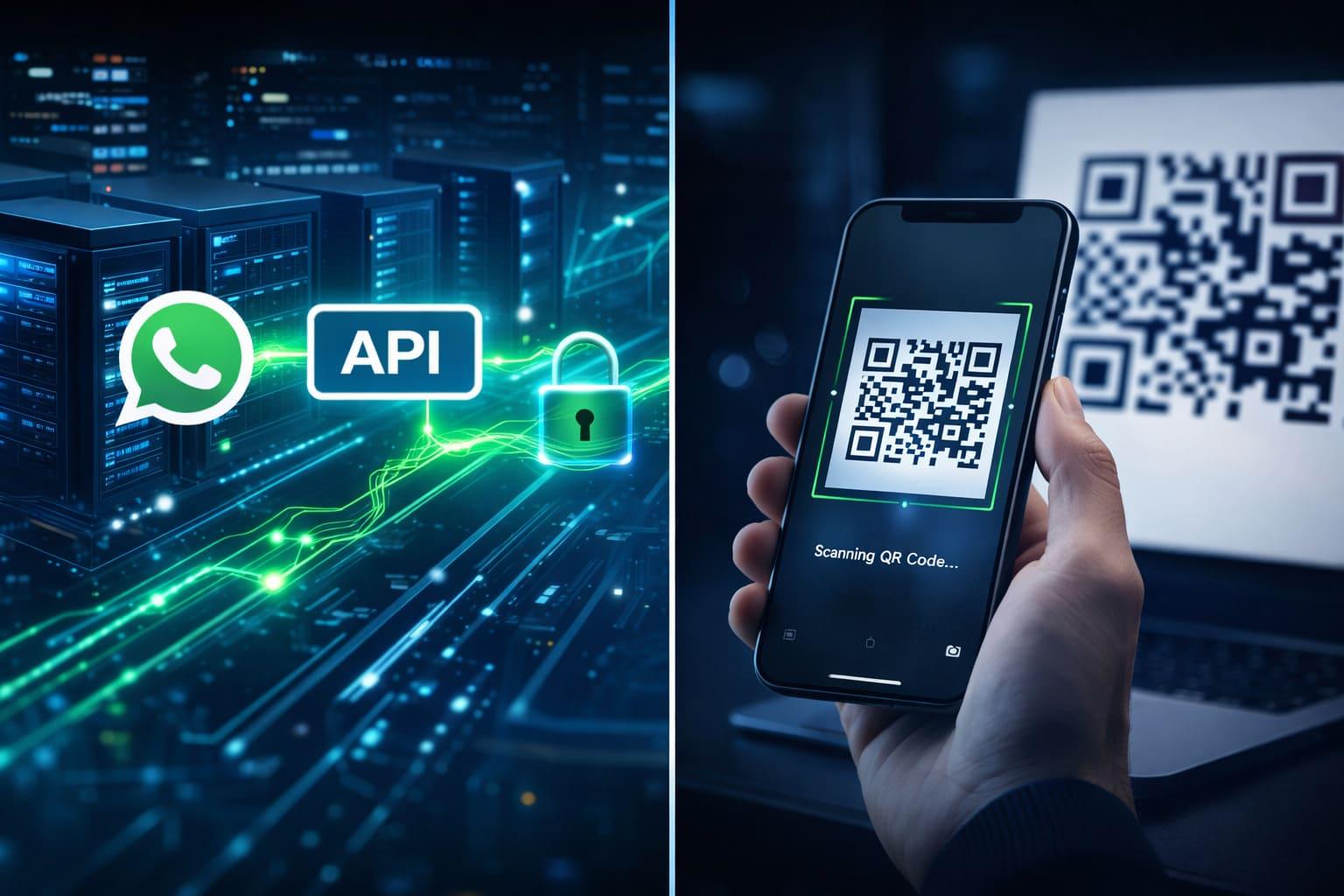
If you're setting up a Botpress chatbot on WhatsApp, you'll run into this decision almost immediately: do you connect through the official WhatsApp Business API, or through a QR code (WhatsApp Web-style) connection? The two options look similar on the surface - both get your bot talking to customers on WhatsApp - but they work very differently under the hood, and picking the wrong one can cost you weeks of rework later.
Here's a straight comparison to help you choose correctly the first time.
The Short Answer
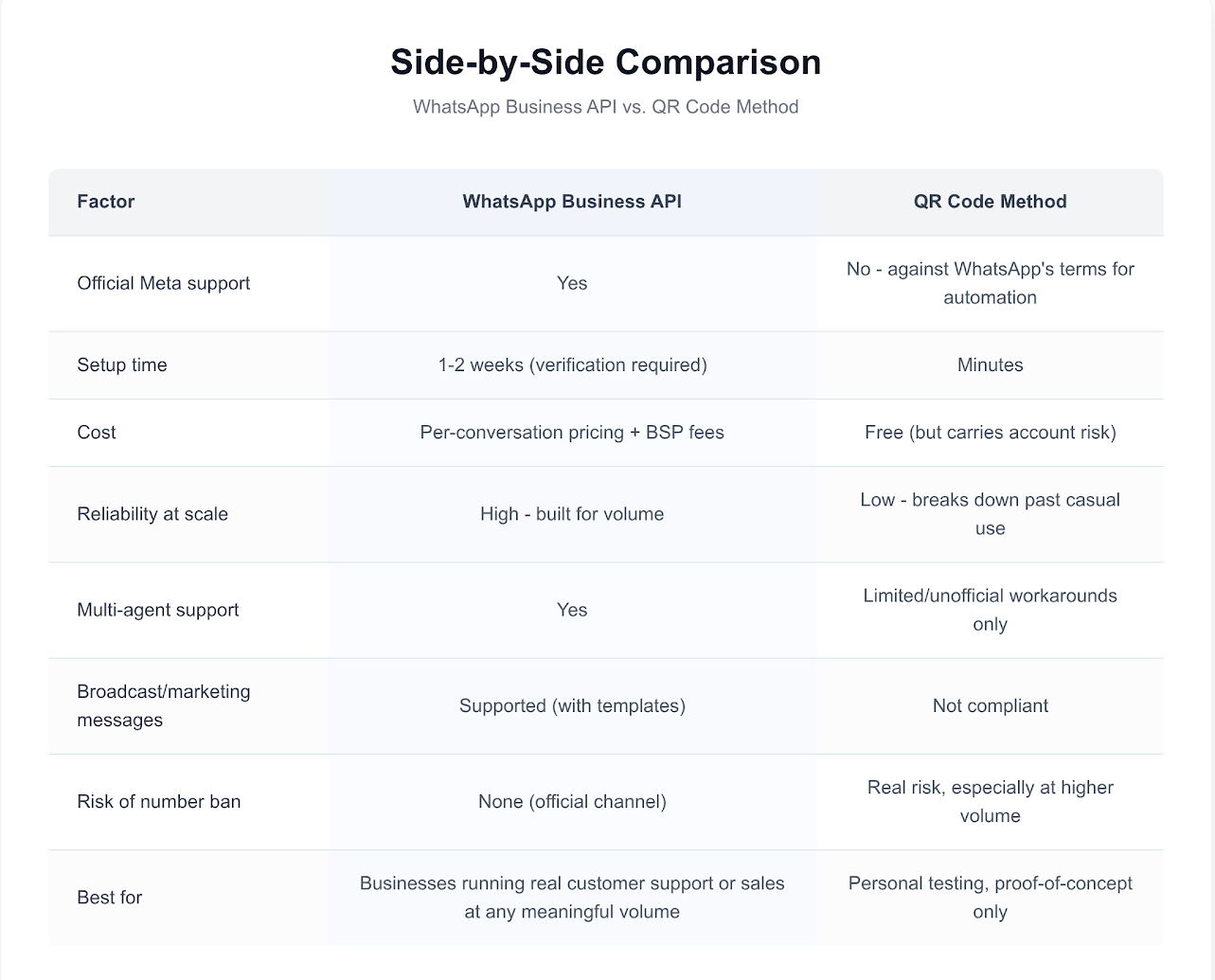
- Use the WhatsApp Business API if you're a growing business sending any volume of automated messages, need multiple agents in one inbox, or plan to scale past a handful of conversations a day.
- Use a QR code connection only for small-scale testing, personal use, or very early-stage validation where you're not ready to commit to API setup yet.
For almost every business evaluating Botpress for customer support or sales, the Business API is the right long-term choice. Here's why.
What Is the WhatsApp Business API?
The WhatsApp Business API is Meta's official, sanctioned way for businesses to send and receive WhatsApp messages programmatically. It's the same infrastructure used by large enterprises and is the only method Meta fully supports for automated, business-grade messaging.
How it works with Botpress: Your Botpress bot connects to a WhatsApp Business Account through an approved Business Solution Provider (BSP) or directly via Meta's Cloud API. Messages flow through this official channel, giving you access to features unavailable on the QR code method.
Key characteristics:
- Requires business verification through Meta
- Supports message templates for outbound/proactive messaging
- Allows multiple team members and multiple bots/integrations on one number
- Provides delivery and read-receipt webhooks for reliable automation
- Scales to thousands of conversations without rate-limit risk
- Required if you want to send bulk broadcasts or marketing messages compliantly
What Is the QR Code (WhatsApp Web) Method?
This method mimics how you'd link WhatsApp Web on your laptop - you scan a QR code with your phone's WhatsApp app, and the bot session runs through that linked connection.
Key characteristics:
- No business verification required - can be set up in minutes
- Uses your personal or business WhatsApp number as-is
- No message template requirements
- Free or very low cost to set up
- Not officially supported by Meta for automated business use - accounts using this method for automation risk being flagged or banned
- Session can disconnect if your phone loses connection or the app updates
- Not built for scale - reliability drops quickly past a small number of daily conversations
Why This Decision Matters More Than It Seems
Many teams start with the QR code method because it's fast and free, planning to "switch to the API later." The problem: any conversations, contacts, or automations built on the QR code connection don't carry over cleanly, and if your number gets flagged during that testing phase, you can lose the number entirely - along with any customer trust built on it.
If you already know you're building this for real customer support or sales (not just kicking the tires), it's almost always cheaper in time and risk to set up the Business API from day one.
How HitlChat Fits In
Regardless of which connection method you choose, the challenge is the same: your Botpress bot will eventually hit a question it can't answer. That's where human handoff (HITL) comes in - HitlChat connects your Botpress bot to a shared live-agent inbox so a real person can step in on WhatsApp the moment the bot needs help, without the customer having to repeat themselves or switch channels.
If you're setting up your Botpress WhatsApp Business API connection, this is the natural point to also plan your human handoff flow - see our Botpress WhatsApp human handoff guide or the step-by-step Botpress-to-WhatsApp connection guide for the setup details, or read more about the underlying WhatsApp Developer API if you want the technical deep-dive.
